
Mapstr pro

A restaurant you discovered in an Instagram Reel, a great “ Place ” you saw on TikTok, or a whole selection you found in an article? Just share the content at mapstr to find these spots right on your Map.
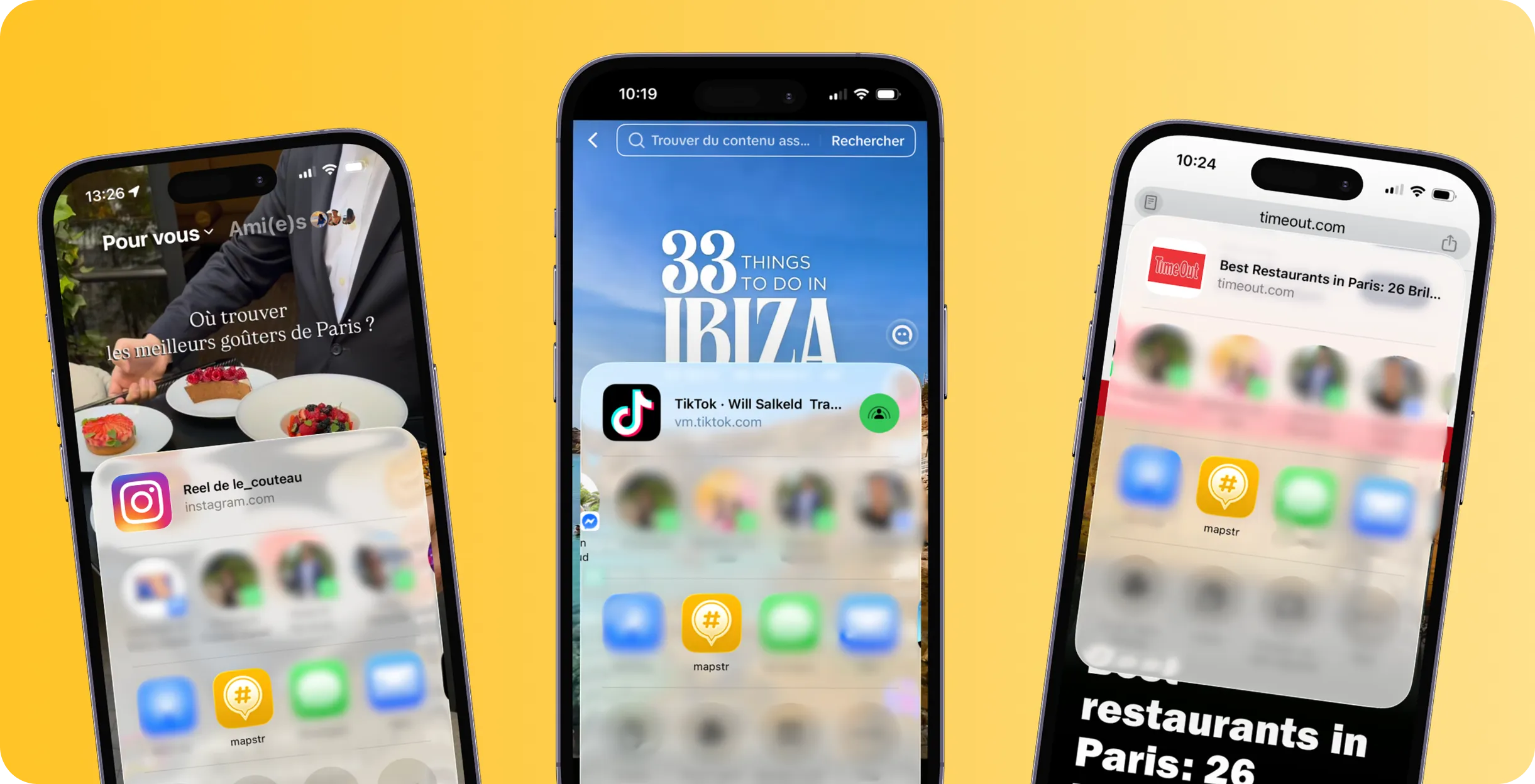
Great spots are everywhere: Instagram, TikTok, articles, or travel guides. Just share the content on mapstr —the app detects the places mentioned and lets you add them directly to your Map.
.webp)
A reel or carousel full of great spots? Share it at mapstr to find the places mentioned and add them to your Map.
.webp)
A list of top restaurants, a city guide, or an “ Place ” to try out in a video? Send it to mapstr to easily save the places that interest you.
.webp)
A travel guide, a list of restaurants, or an article full of great spots? Share the page at mapstr to add the places mentioned to your Map.
Find an Instagram reel, a TikTok video, an article, or a page featuring places that make you want to go.
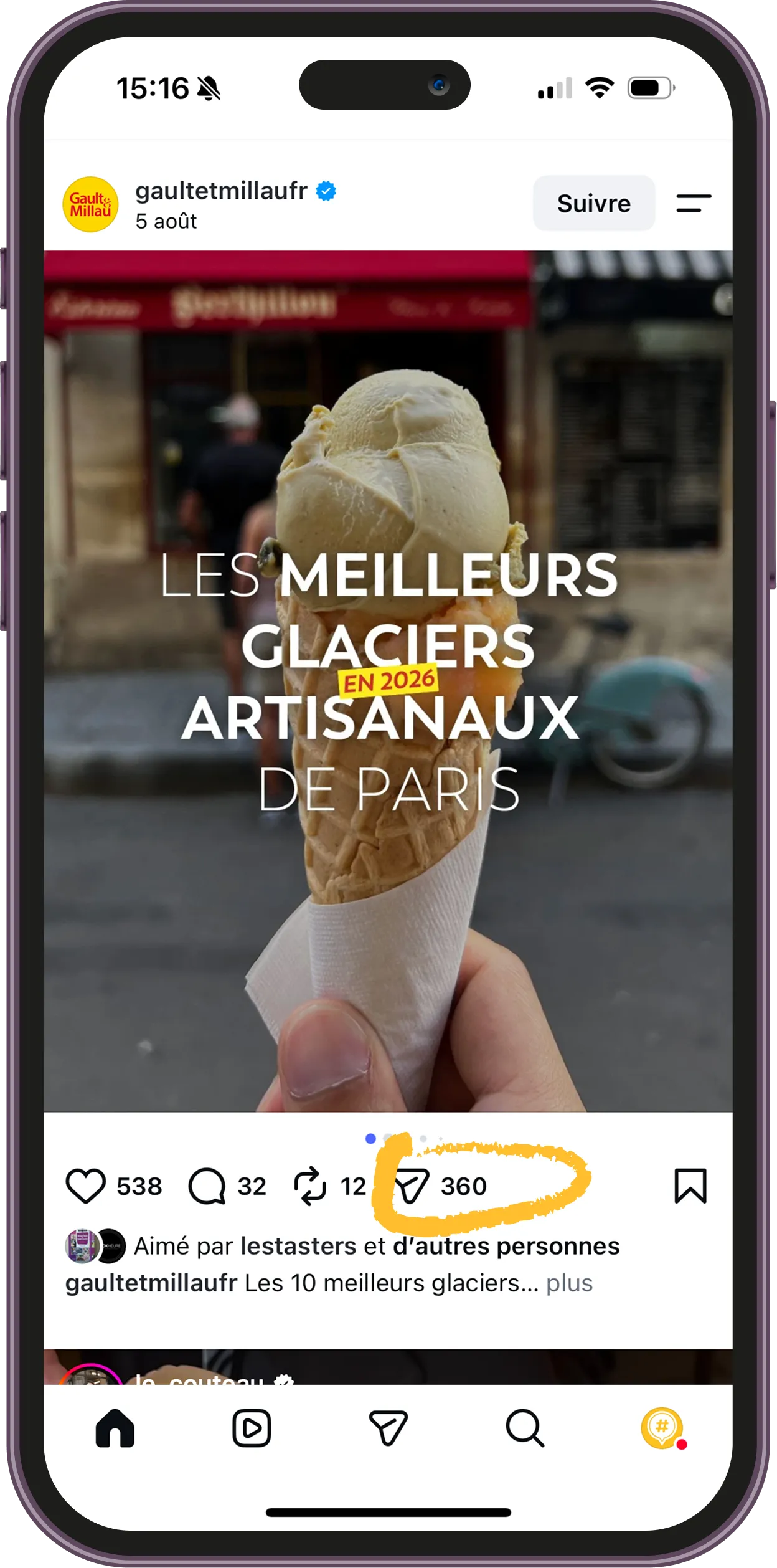
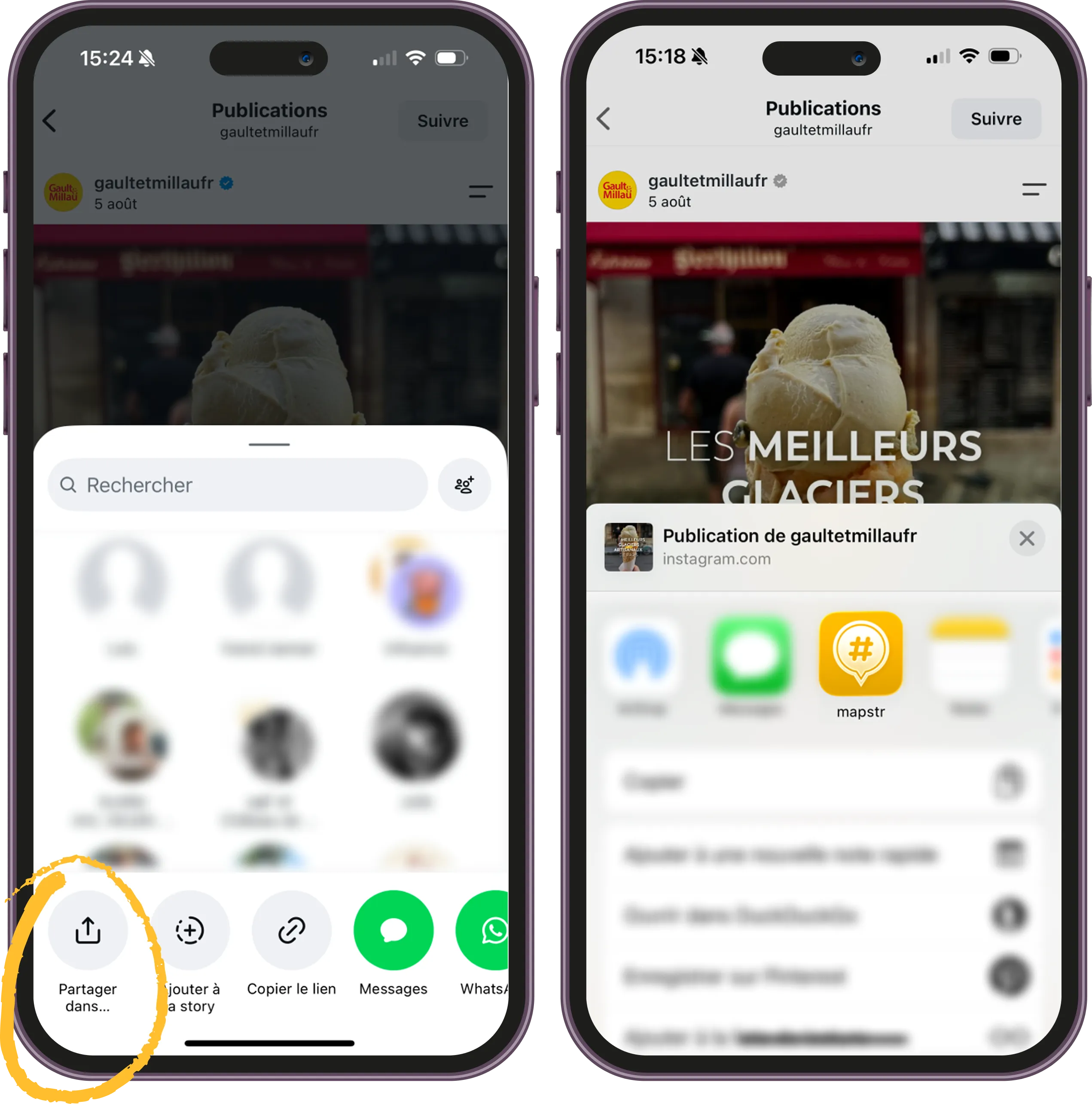
Tap "Share" on Instagram, TikTok, or in your browser, and select mapstr.
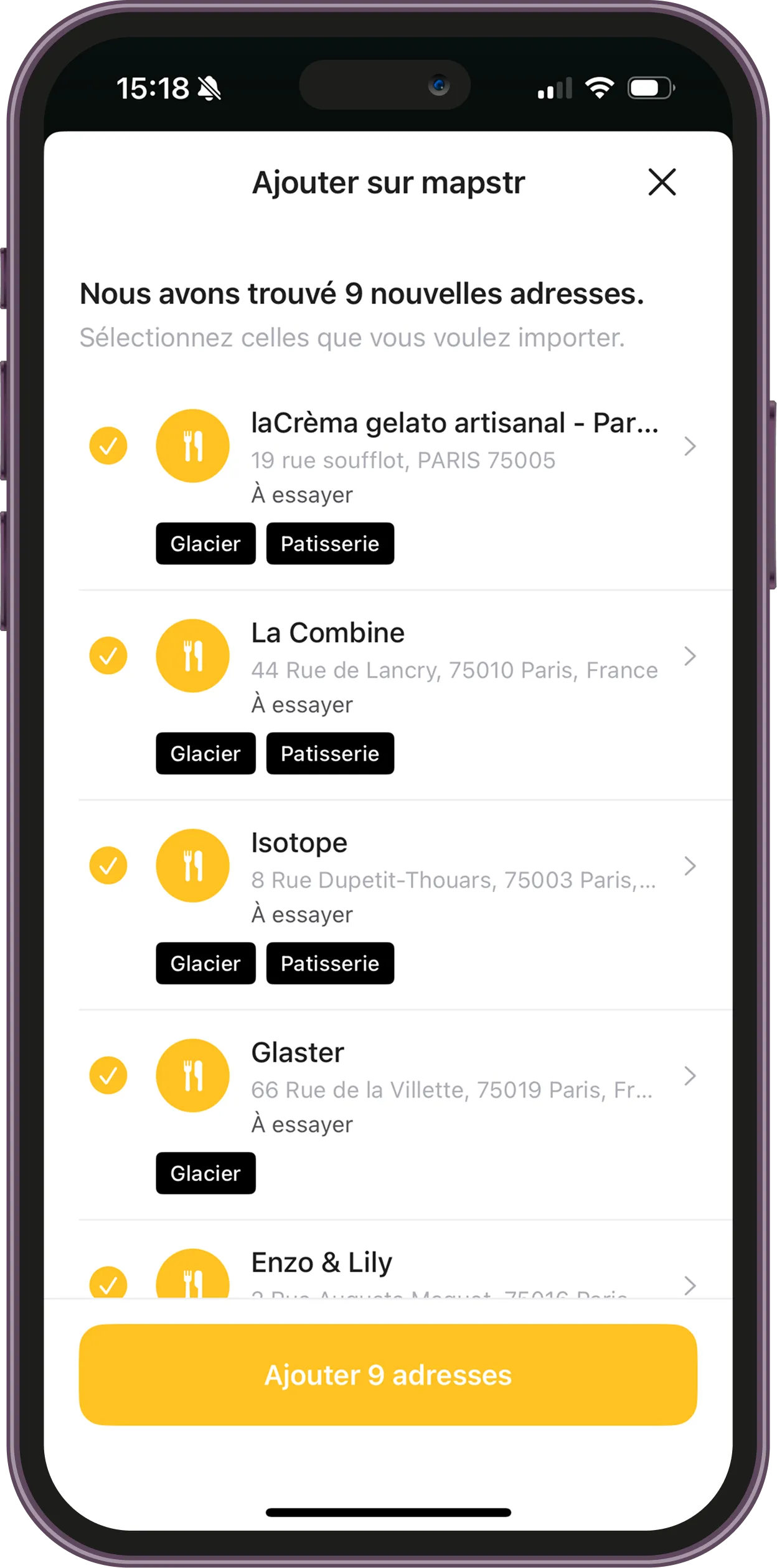
Mapstr automatically detects the places mentioned. Select the ones you're interested in and add them to your Map.
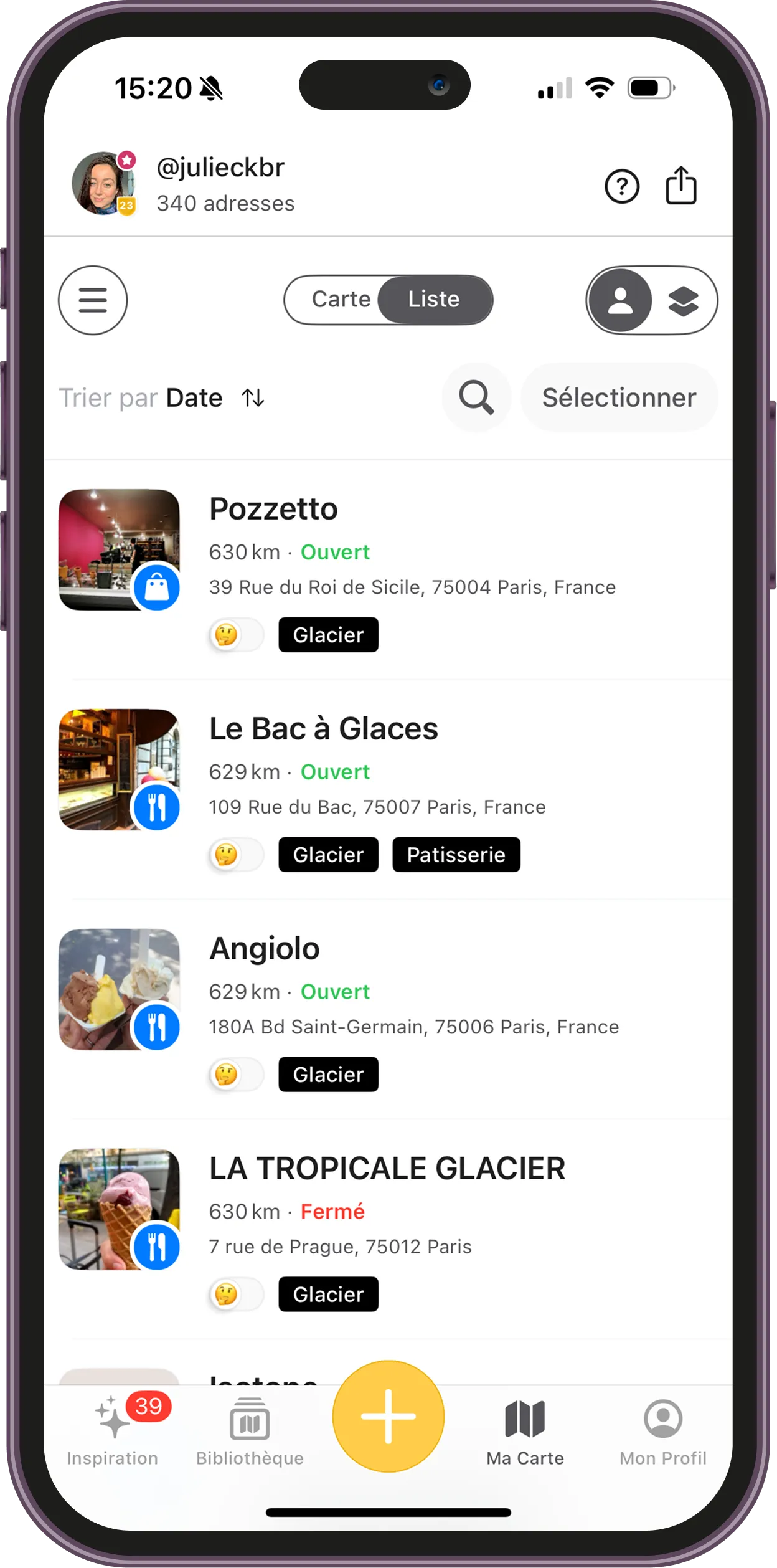
Your new addresses are added directly to your Map mapstr , along with your other saved locations and the appropriate tags.

places already present
We list locations all over the world!

Passionate users
Benefit from personalized recommendations and contribute to an enriching collaborative experience.

Quality partners
Get inspiration from the experts
.


No more notes at the bottom of your phone that you can never find again, no more screenshots and no more posts saved on Instagram.

From an Instagram Reel or Carousel, tap "Share," then select " mapstr." The app analyzes the content and detects any locations mentioned so you can add them to your Map.
From the TikTok video, tap "Share" and then select " mapstr." The locations detected in the content can then be added directly to your Map.
Yes. From the relevant page, use your browser's "Share" button and then select mapstr. The app analyzes the content to identify the locations mentioned.
Mapstr automatically selects the most appropriate tags from those already used on your Map. You can then edit them before adding the locations.
Yes. Importing from Instagram, TikTok, and online content is available for free on iOS and Android with the latest version of mapstr.
Absolutely! Mapstr also lets you import Google Maps lists as well as addresses saved in other apps. Check out this page To learn more.
.png)


